Sections
Configure Strata sections and their blocks.
Sections are the configurable content areas inside a Shopify template. Add, reorder, hide, or remove them in the Theme Editor without changing theme code.
Inventory status.
This page records the current Strata surface. Final navigation order and setting-level guides will be regenerated from the release schema and a fresh Theme Editor snapshot.
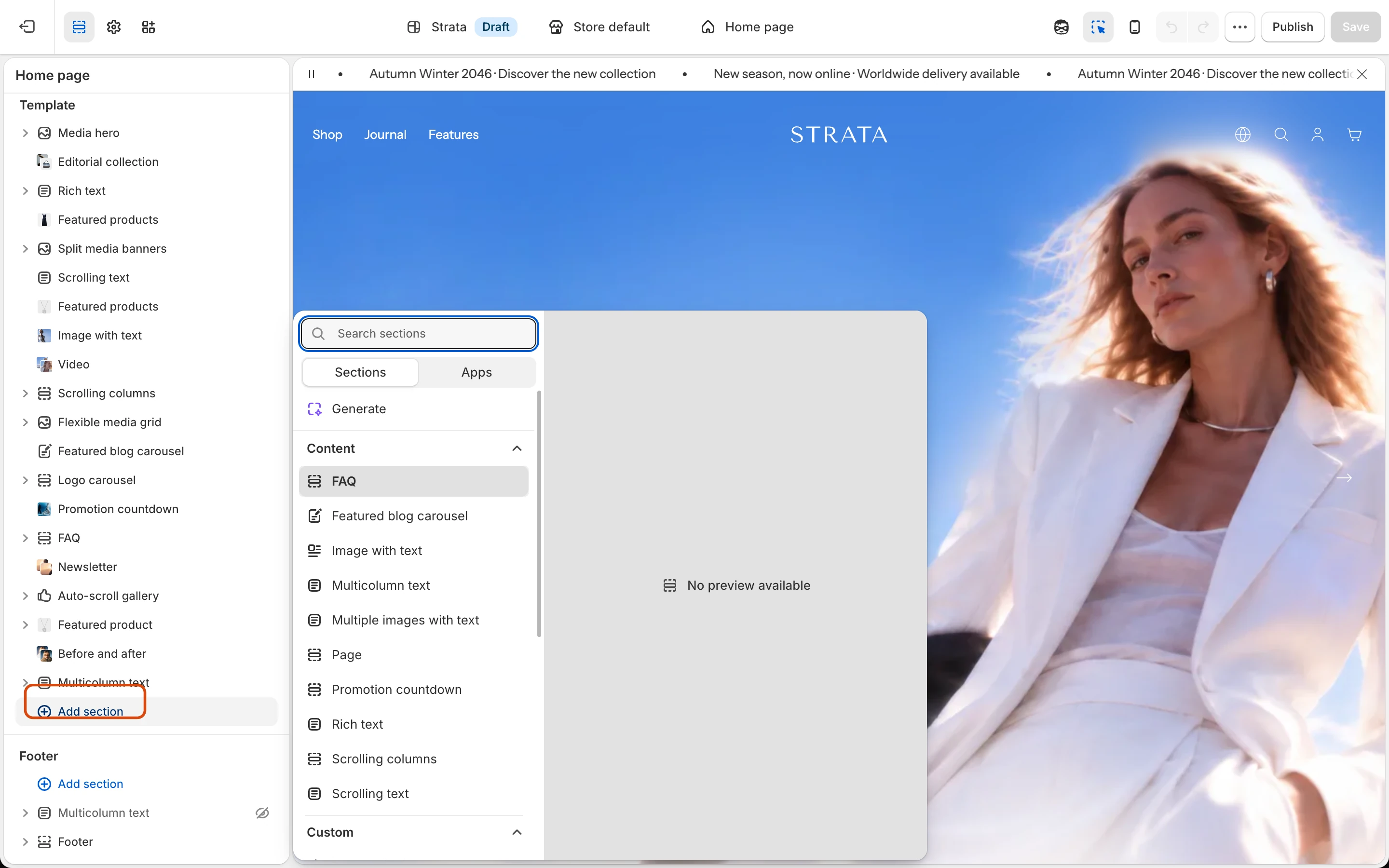
Add a section
- Open Online Store → Themes → Customize.
- Select the template you want to edit.
- Choose Add section, then select an available Strata section.
- Add its content and blocks, save, and preview the result at desktop and mobile sizes.
Before using a section
- Choose a section for its content purpose, not only its initial appearance.
- Prepare images and video at the recommended aspect ratio once the section guide specifies it.
- Keep headings in a logical order and provide meaningful image alt text.
- Confirm that reordered blocks still make sense on a narrow screen.
Fixed Theme Editor areas
These areas belong to global section groups rather than the normal Add section catalog.
- Header: Announcement bar; Header with drawer-banner and mega-menu blocks
- Overlays: Newsletter popup; Cart drawer; Search drawer; Age verifier; Message popup
- Footer: Multicolumn text; Footer with menu and text blocks
Current addable section surface
The categories below are for documentation discovery. The final merchant-visible ordering comes from the release Theme Editor.
Media
- Media slideshow with image and video slides
- Split media banners
- Flexible media grid with image, video, and text blocks
- Video
- Logo carousel
- Social carousel
Content
- Rich text
- Image with text
- Multiple images with text
- Scrolling text
- FAQ
- Featured blog carousel
Products and collections
- Featured products
- Featured product
- Editorial collection
- Collection list
- Related products
- Recently viewed products
Forms and custom content
- Newsletter
- Contact form
- Custom Liquid
- Custom section
Pickup availability and the recently viewed product-card response are supporting product utilities, not normal merchant-addable section pages.