
Strata

Templates

Build consistent Shopify pages with Strata templates.

Templates control which sections appear for a type of Shopify resource, such as a product, collection, article, or page. Resources that share a template share its section structure.

Choose and assign a template
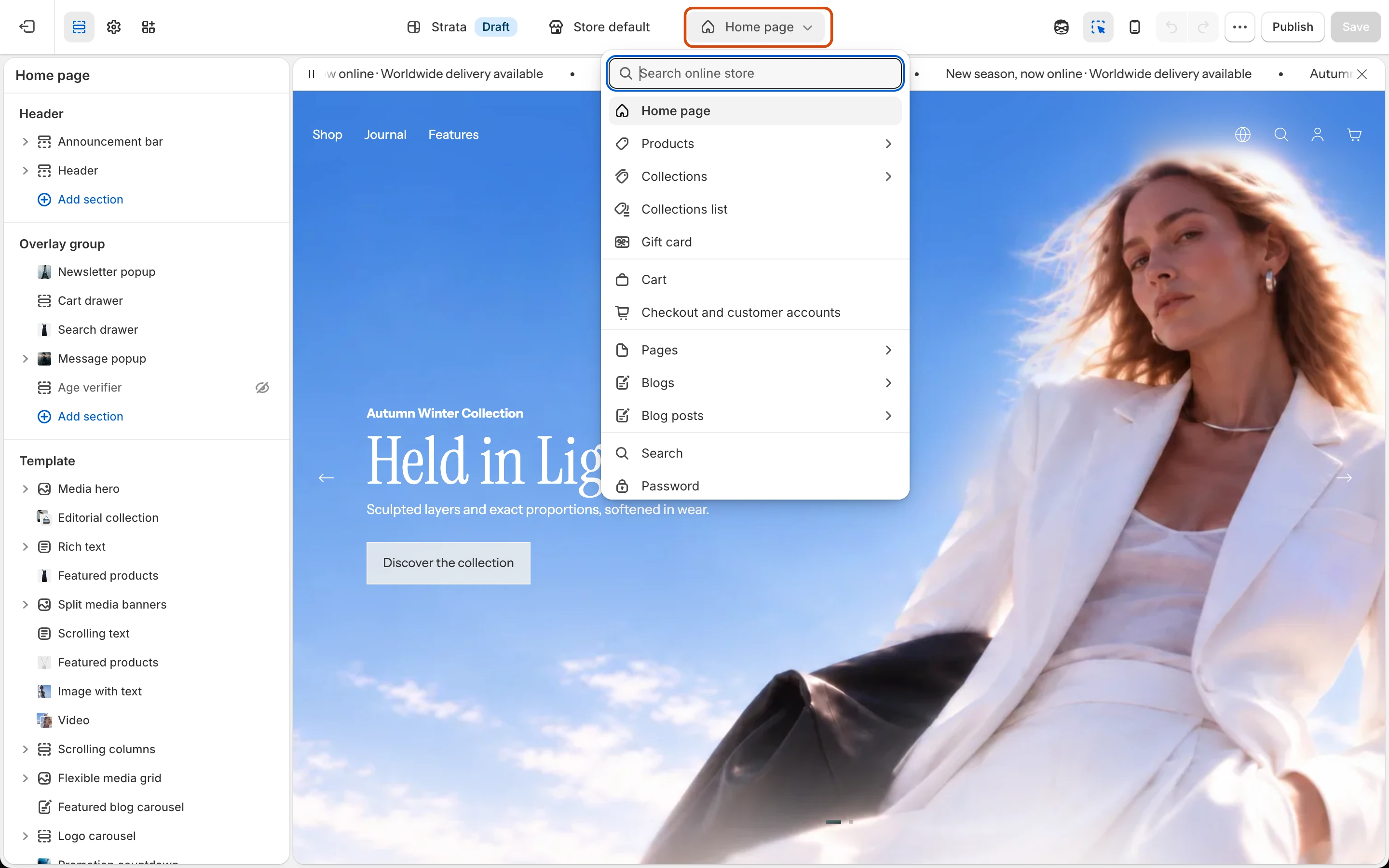
  1. In the Theme Editor, use the page selector to open the resource type.
  2. Edit an existing template when every assigned resource should receive the change.
  3. Create a new template when one resource needs a different section structure.
  4. Assign that template from the matching product, collection, article, or page in Shopify admin.

Check before publishing

  • Confirm the correct resources use the intended template.
  • Test templates with empty, short, and long content.
  • Check product variants, collection filters, blog navigation, search, cart, password, and 404 states where applicable.

Current template surface

  • Home: the launch composition and its reorderable sections
  • Product: product information, media gallery, variants, buy controls, recommendations, and recently viewed products
  • Collection: collection context, filtering, sorting, product grid, and promotional blocks
  • Collection list: the storefront collection index
  • Blog and Article: blog discovery and individual article content
  • Pages: standard page plus supplied Contact, FAQ, and Lookbook templates
  • Search: search form, filters, sorting, and result display
  • Cart: cart page plus recently viewed products
  • System templates: 404, Password, and Gift card

Strata does not currently include theme-side customer account template files. Customer account behavior should not be presented as a configurable Strata template without separate Shopify evidence.

Search documentation

Search across the Strata guide